Splitting
Mechanica supports modeling processes associated with a
particle dividing into two particles,
called splitting. In the simplest case, a particle can spawn a new
particle in a mass- and volume-preserving split operation under the
assumption that the spawned (child) and spawning (parent) particles are
identical. During particle splitting, the parent and child particles are randomly
placed exactly in contact at the initial position of the parent particle, and
both have the same velocity as the parent before the split. The split operation on
a particle occurs when calling the Particle method
split, which returns the child particle.
import mechanica as mx
class SplittingType(mx.ParticleType):
    pass

splitting_type = SplittingType.get()
parent_particle = splitting_type()
child_particle = parent_particle.split()
Splitting Clusters
Clusters introduce details of morphology and
constituent particles to the process of splitting. Mechanica provides support
for specifying a number of details concerning how, where and when a cluster
divides. The split operation on a cluster also occurs when calling
split, though the corresponding cluster
method supports a variable number of arguments that define the details of the split.
In general, cluster splitting occurs according to a cleavage plane that intersects
the cluster, where the constituent particles of the parent cluster before the split
are allocated to the parent and child clusters on either side of the intersecting plane.
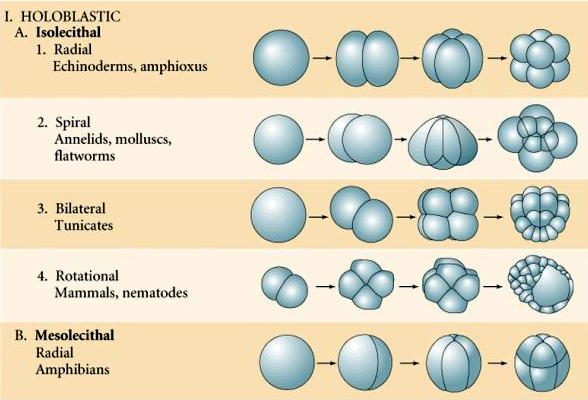
In the simplest case, a cluster can be divided by randomly selecting a cleavage
plane at the center of mass of the cluster. Such a case is implemented by
calling split without arguments, as with a
particle,
class MyClusterType(mx.ClusterType):
    types = [splitting_type]

my_cluster_type = MyClusterType.get()
my_cluster = my_cluster_type()
my_cluster_d1 = my_cluster.split()
split accepts optional keyword arguments
normal and point to define a cleavage plane. If only a normal vector is given,
split uses the center of mass of the cluster
as the point. For example, to split a cluster along the x axis,
my_cluster_d2 = my_cluster.split(normal=[1., 0., 0.])
or to specify the full normal/point form,
my_cluster_d3 = my_cluster.split(normal=[x, y, z], point=[px, py, pz])
split also supports splitting a cluster along
an axis at the center of mass of the cluster, where a random cleavage plane is generated
that contains the axis. This case can be implemented by using the optional keyword argument
axis.
my_cluster_d4 = my_cluster.split(axis=[x, y, z])
split can also split the cluster by randomly
selecting half of the particles in a cluster and assigning them to a child cluster by using the
random argument,
my_cluster_d5 = my_cluster.split(random=True)